
Adobe Acrobat

Best Self Hosted Alternatives to Adobe Acrobat

A curated collection of the 10 best self hosted alternatives to Adobe Acrobat.

Adobe Acrobat is a SaaS platform for creating, editing, converting, securing, and signing PDF documents. It enables users to view, annotate, combine, export, and manage PDFs across web, desktop, and mobile with collaboration and e-signature features.

Alternatives List

#1
Stirling PDF

Stirling PDF

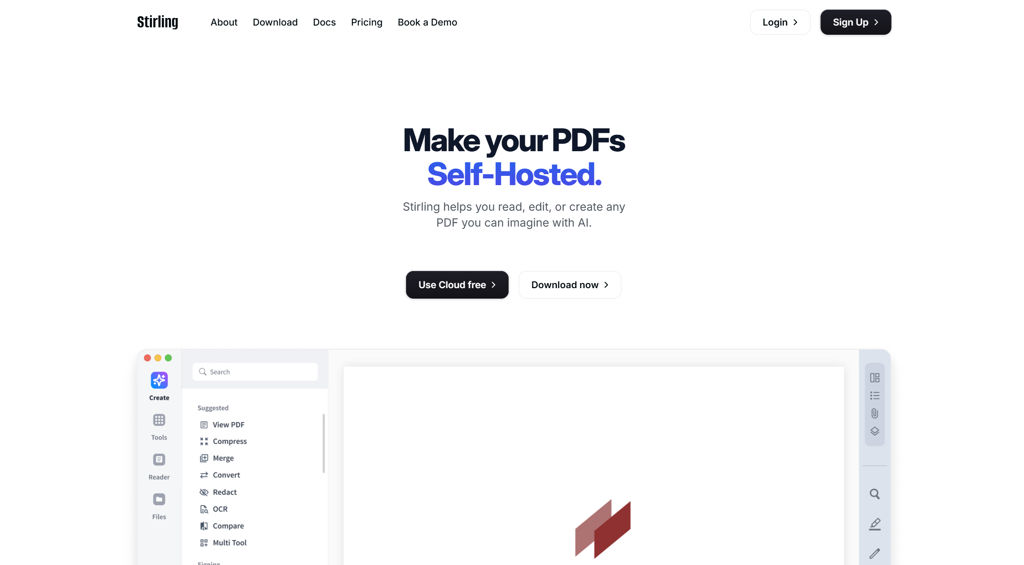
Web-based PDF toolkit for merge/split/convert/OCR/redact/sign and more, with an optional API and Docker deployment.
Stirling PDF screenshot

Stirling PDF is a web application that provides a broad set of tools to manipulate, convert, and optimize PDF documents in a single interface. It’s designed for personal, team, and organizational workflows where PDFs must be processed locally without relying on third‑party online converters.

Key Features

  • Merge, split, reorder, rotate, extract pages, and combine multiple PDFs
  • Convert between PDF and common formats (e.g., images, Office formats) depending on installed backends
  • OCR to make scanned documents searchable/selectable
  • Compress/optimize PDFs and images to reduce file size
  • Add/remove passwords and set permissions; basic security-related PDF utilities
  • Redaction and content removal utilities for sensitive documents
  • Add watermarks, headers/footers, and page numbers
  • Form and metadata utilities (view/edit metadata; PDF form-related tools depending on version)
  • Digital signing features (where supported) and stamp-like operations
  • Optional REST API endpoints for automation/integration
  • Docker-focused distribution with configurable settings via environment variables

Use Cases

  • Internal “PDF toolbox” for HR/finance/legal teams to process documents without external SaaS
  • Automating routine conversions (e.g., images/Office → PDF, OCR → searchable PDFs) via API
  • Preparing PDFs for sharing by compressing, watermarking, and applying passwords/permissions

Limitations and Considerations

  • Some conversion features depend on external tools/binaries included in the container image; available operations can vary by deployment/image/version.

Stirling PDF is a practical all-in-one PDF utility suite with a browser UI and automation options. It fits best when you need a consistent, centrally managed set of PDF tools and want to keep document processing under your control.

72.8kstars
6.2kforks

#2
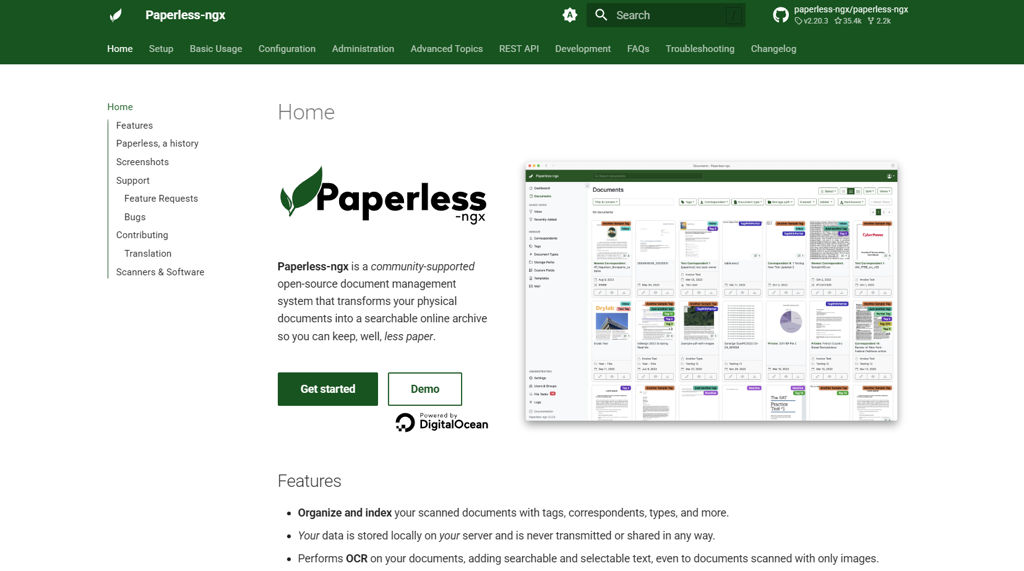
Paperless-ngx

Paperless-ngx

Self-hosted document management system that ingests scans and emails, performs OCR, extracts metadata, and provides fast full-text search with tags and workflows.

Paperless-ngx screenshot

Paperless-ngx is a self-hosted document management system (DMS) focused on turning paper and digital files into searchable, organized records. It ingests documents from multiple sources, runs OCR and text extraction, and provides a web UI and API to manage, find, and automate document handling.

Key Features

  • Automated ingestion (“consume” folder) plus upload via web UI and REST API
  • OCR and text extraction for searchable PDFs/images (typically via Tesseract)
  • Full-text search with filters (tags, correspondents, document types, dates, fields)
  • Metadata model: correspondents, document types, tags, custom fields, and rules
  • Email ingestion (IMAP) to automatically import attachments and assign metadata
  • Document workflows: matching rules, automatic tagging, and metadata assignment
  • Multi-user support with permissions/roles and an admin interface
  • Preview and download originals/archived PDFs; versioned/organized storage
  • Integrations via API and container-first deployment (Docker/Compose)

Use Cases

  • Personal “paperless” home archive for bills, receipts, manuals, and letters
  • Small office record-keeping with consistent naming, tagging, and search
  • Automatic import pipeline from scanner + email for invoices and statements

Limitations and Considerations

  • OCR quality and language support depend on installed OCR language packs and scan quality
  • Accurate auto-classification relies on well-tuned matching rules and consistent inputs

Paperless-ngx is well-suited for users who want reliable OCR-backed search, structured metadata, and automated ingestion to maintain a long-term, searchable archive. Its strong import options and rule-based processing make it practical for both home and small-team document workflows.

35.4kstars
2.2kforks
#3
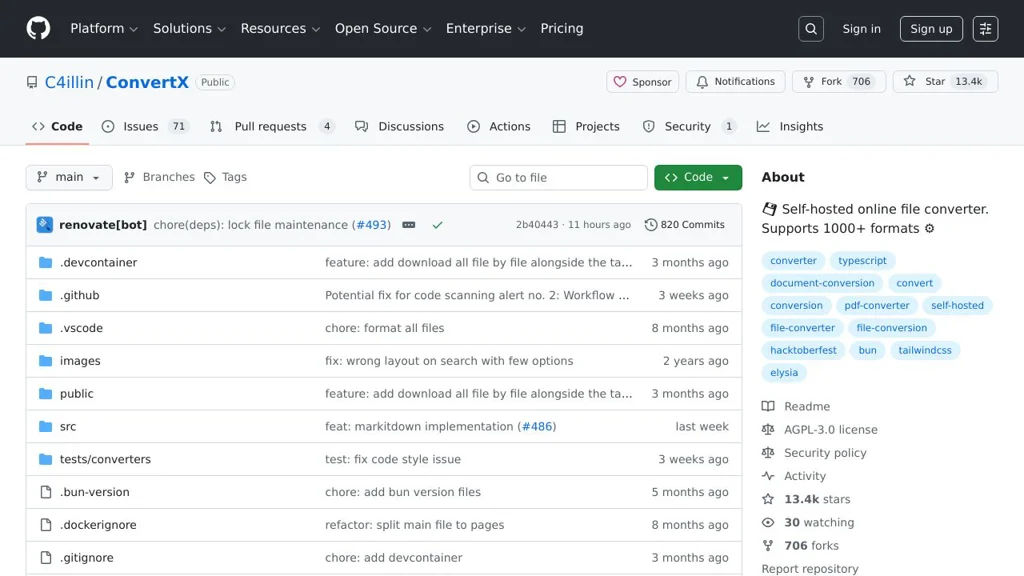
ConvertX

ConvertX

ConvertX is a self-hosted file conversion service that provides a web interface and API to convert documents, images, audio, and video using a containerized toolchain.

ConvertX screenshot

ConvertX is a self-hosted file conversion service that exposes common conversion tasks through a simple web UI and an HTTP API. It is designed to run in containers and leverages well-known command-line converters to handle multiple media and document formats.

Key Features

  • Web interface for uploading files and running conversions
  • HTTP API for programmatic conversions (useful for automation and integrations)
  • Supports multiple conversion domains (documents, images, audio/video) by orchestrating external converters
  • Container-first deployment (Docker) for reproducible runtimes and dependencies
  • Job-based processing model suitable for background conversions

Use Cases

  • Team “conversion hub” to standardize media/document conversions across devices
  • Backend service for apps that need on-demand transcoding or document conversion
  • Batch converting files (e.g., office docs to PDF, media to common playback formats)

Limitations and Considerations

  • Supported formats and quality depend on the underlying converter tools available in the image (e.g., FFmpeg); some edge formats may not be supported.
  • CPU-intensive conversions (especially video) may require resource limits and tuning for stable performance.

ConvertX fits environments that want a lightweight, containerized conversion endpoint with both a human-friendly UI and an API for integration. It is most useful when you need consistent conversions without relying on third-party SaaS tools.

13.5kstars
713forks
#4
Documenso

Documenso

Self-hosted platform for preparing, sending, and tracking legally binding e-signatures with templates, audit trails, and team workflows.

Documenso screenshot

Documenso is an open-source electronic signature platform for preparing documents, collecting signatures, and tracking signing progress. It provides a web UI and workflow primitives (templates, recipients, status tracking) designed for teams that want control over their signing process and data.

Key Features

  • Document preparation with fields for signatures/initials/date/text inputs and recipient assignment
  • Send signing requests and track document status (e.g., sent/viewed/signed) from a central dashboard
  • Reusable templates for common agreements to standardize signing flows
  • Audit trail/signing history to support compliance and evidentiary needs
  • Team/workspace features for organizing documents and managing access
  • Email-based signing flow with notifications and reminders
  • PDF-centric workflow (upload/generate, place fields, produce signed PDFs)

Use Cases

  • HR and operations: send offer letters, policy acknowledgements, and onboarding forms
  • Sales/legal: collect signatures for NDAs, MSAs, and quotes/orders
  • Internal approvals: route documents to multiple signers and keep a verifiable record

Limitations and Considerations

  • Feature depth and compliance requirements may vary by jurisdiction; evaluate suitability for regulated industries and required signature standards.

Documenso is a strong choice for organizations that need a controllable e-sign workflow with templates, tracking, and auditability. It focuses on practical signing operations and can replace common SaaS e-sign tools for many standard business document flows.

12.1kstars
2.2kforks
#5
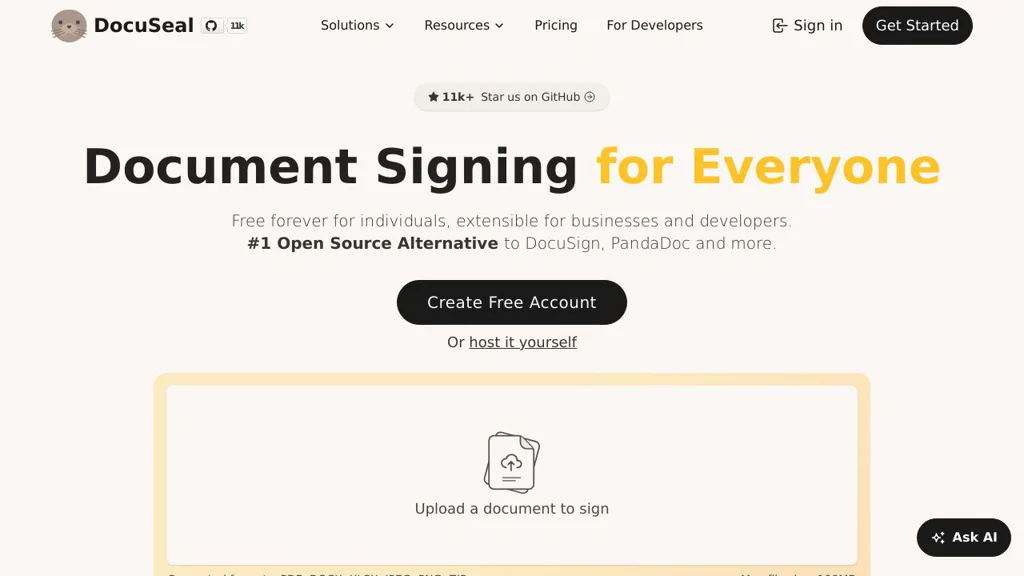
DocuSeal

DocuSeal

Self-hosted eSignature platform for creating templates, collecting form data, and signing PDFs with audit trails and team workflows.

DocuSeal screenshot

DocuSeal is an open-source electronic signature (eSignature) and document workflow platform for sending PDFs for signing, collecting form data, and managing templates and recipients. It focuses on being a DocuSign-style experience that you can run yourself while keeping documents and signature flows under your control.

Key Features

  • Create reusable templates for PDFs and add fillable fields (text, dates, checkboxes, signatures, etc.)
  • Send signature requests to one or multiple recipients with configurable signing order
  • Web-based signing experience for recipients (no account required for signers)
  • Audit trail / signing log and status tracking for envelopes/documents
  • Team/workspace features for managing templates and documents with multiple users
  • Email delivery for signature requests and notifications (SMTP configuration)
  • API and webhooks for embedding signing and integrating with external systems
  • PDF generation and finalized signed document download

Use Cases

  • Collect legally binding signatures for contracts, NDAs, and HR documents
  • Build internal approval/sign-off flows for policies and operational documents
  • Embed signing into a customer portal or product onboarding workflow

Limitations and Considerations

  • Feature set is focused on core eSignature workflows; advanced enterprise compliance/tooling may require additional evaluation depending on your regulatory needs.

DocuSeal is well-suited for organizations that need a straightforward, modern eSignature and document template system with integration options. It covers the essential send-sign-complete lifecycle while remaining extensible via API/webhooks for custom workflows.

11.1kstars
917forks
#6
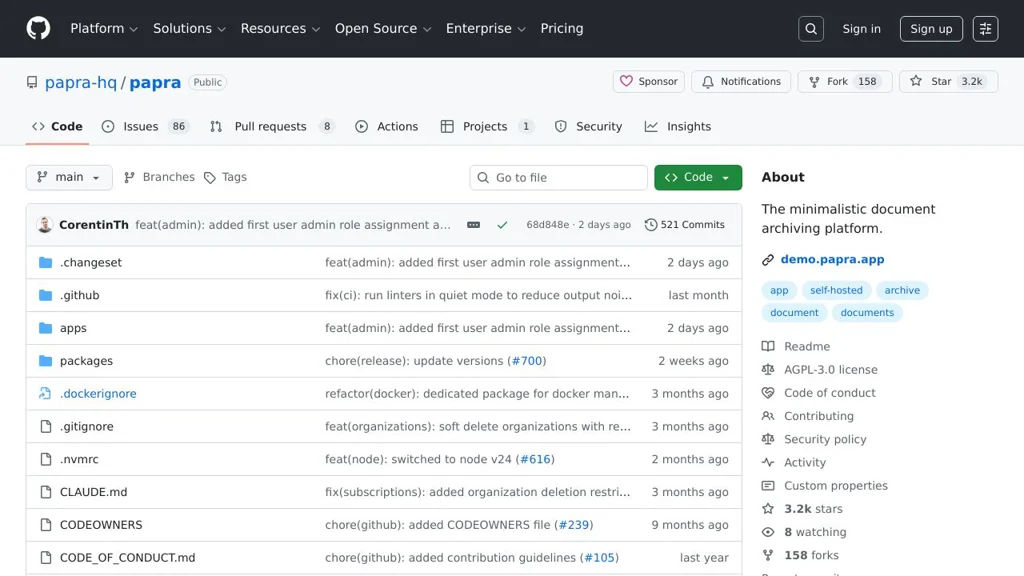
Papra

Papra

Papra is a self-hosted document management app for organizing scanned documents with OCR, tagging, and full‑text search in a clean web UI.

Papra screenshot

Papra is a document management system focused on turning scanned paperwork into a searchable, well-organized archive. It provides a web interface to upload/import documents, extract text with OCR, and find files quickly using metadata and search.

Key Features

  • Upload and manage documents in a web UI (designed for personal/household paperwork)
  • OCR text extraction to make scanned PDFs/images searchable
  • Full-text search across extracted content
  • Metadata organization (e.g., titles/dates) and tagging/labels for browsing
  • Document preview and structured library views for quick retrieval
  • Docker-based deployment for straightforward installation and updates

Use Cases

  • Digitize and archive household paperwork (invoices, letters, contracts) with fast search
  • Store and search scanned records (receipts, warranties, medical/insurance documents)
  • Maintain a personal “paperless” archive with tags and OCR for retrieval

Limitations and Considerations

  • Feature set is oriented toward individual/personal workflows; advanced enterprise DMS features (complex workflows, retention policies, e-signature) may be limited.

Papra is a practical choice if you want a lightweight DMS centered on scanning + OCR + search rather than heavy enterprise document workflows. It fits well for building a private, searchable archive of everyday documents.

3.2kstars
158forks
#7
Papermerge

Papermerge

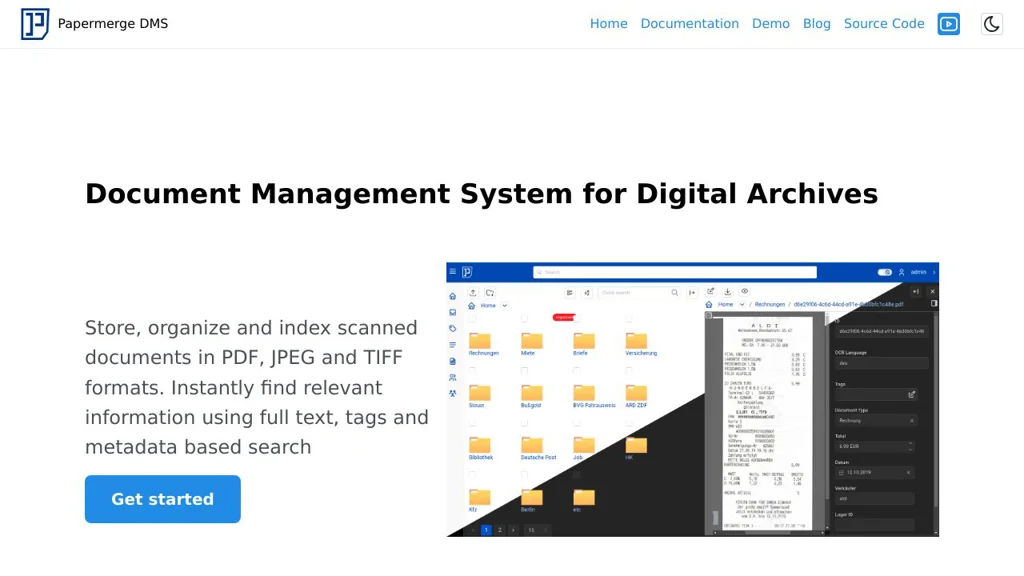
Self-hosted document management system that imports scans/PDFs, performs OCR, and provides full-text search, tagging, and folder-based organization for a paperless workflow.

Papermerge screenshot

Papermerge is a document management system (DMS) designed for building a “paperless” archive from scanned documents and PDFs. It focuses on automated OCR and search so you can quickly find documents by their content, then organize them with folders, tags, and metadata.

Key Features

  • OCR processing for PDFs/images and extraction of searchable text
  • Full-text search across your document library
  • Folder-based organization with tags for flexible classification
  • Document import/upload workflow optimized for scanned paperwork
  • Multi-user support with access controls for shared instances
  • Web UI for browsing, previewing, and managing documents

Use Cases

  • Home “paperless” archiving for bills, receipts, manuals, and letters
  • Small team document repository with searchable scans and tagging
  • Back-office digitization of incoming mail with OCR-based retrieval

Limitations and Considerations

  • OCR quality depends on scan quality/language models and may require tuning

Papermerge is a practical choice if your primary need is OCR-driven search and straightforward organization of scanned documents. It fits individuals and small organizations aiming to replace manual filing with searchable digital archives.

2.8kstars
300forks
#8
Docspell

Docspell

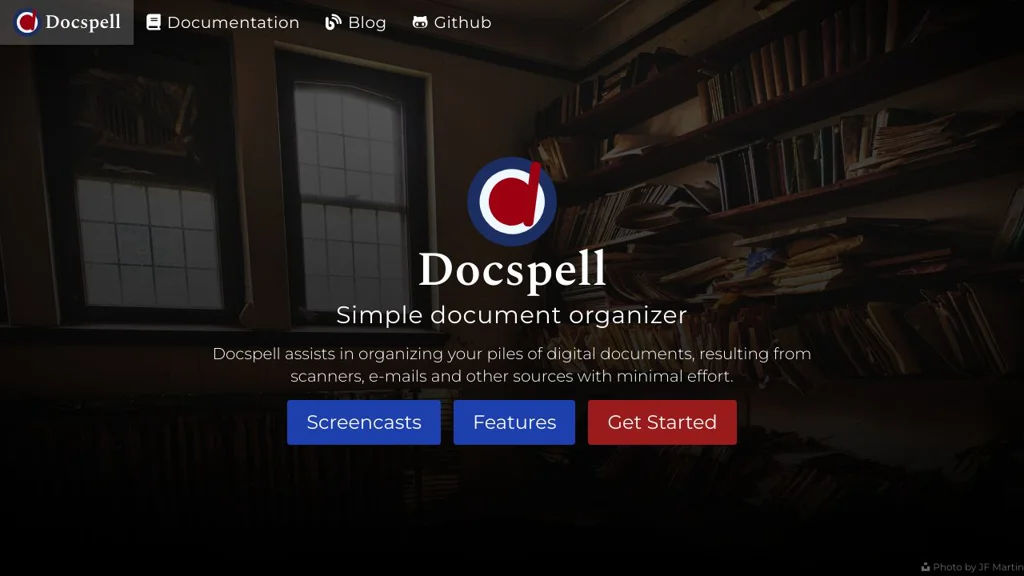
Docspell is a document management system that organizes scanned/imported files with OCR, metadata extraction, tagging, and full-text search, plus automated ingest workflows.

Docspell screenshot

Docspell is a self-hosted document management system focused on collecting, organizing, and finding documents such as scans, invoices, letters, and PDFs. It provides OCR, metadata extraction, and a workflow-oriented “collect/organize” model with powerful search.

Key Features

  • Ingest documents through multiple channels (web upload and automated “collective”/watch-folder style imports)
  • OCR pipeline for searchable text (commonly via Tesseract) and extraction of document text
  • Full-text search across OCR and document metadata
  • Tagging, custom metadata, and structured organization (e.g., correspondents, document dates)
  • Duplicate detection support (hash-based) to avoid storing the same document twice
  • Email-based workflows/notifications are supported via integrations and job execution (depending on setup)
  • REST API for automations and integration with other tools
  • Multi-user support with accounts/collections separation

Use Cases

  • Paperless home archive: scan mail and receipts, auto-OCR, then search later by content
  • Small business bookkeeping support: store invoices/contracts and quickly retrieve by vendor/date
  • Team document repository for shared operational documents with consistent tagging

Limitations and Considerations

  • OCR quality depends heavily on input scans and the configured OCR engine/language packs
  • Feature set is oriented toward document intake/search rather than full collaborative editing

Docspell fits users who want a robust pipeline from “incoming documents” to “indexed, searchable archive” with automation-friendly ingestion. It’s particularly strong when paired with a scanner or watch-folder/import workflow to minimize manual filing effort.

2kstars
154forks
#9
PdfDing

PdfDing

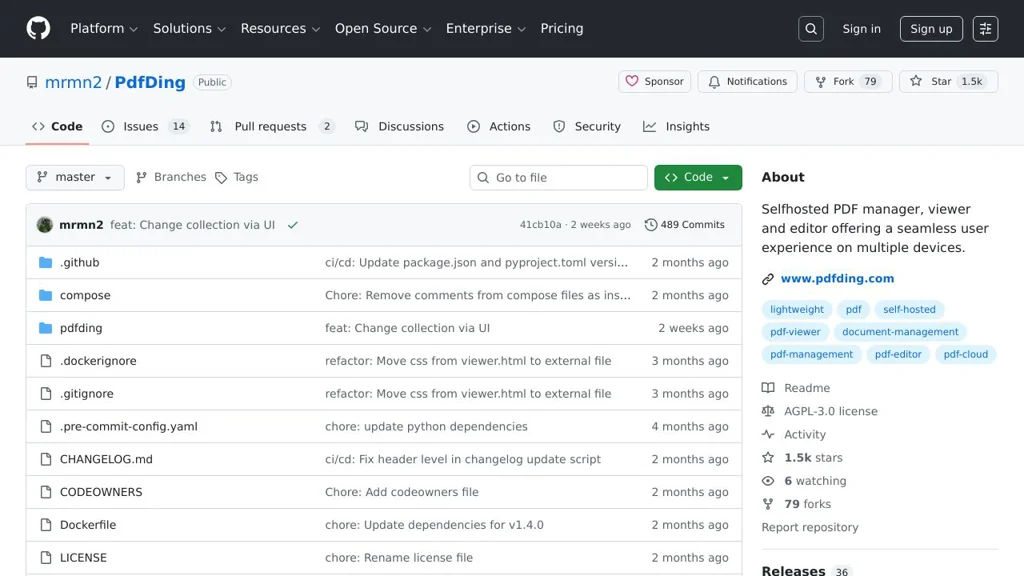
PdfDing is a self-hosted PDF manager for collecting, organizing, and reading PDFs with tagging, full-text search, and browser-based importing.

PdfDing screenshot

PdfDing is a self-hosted web application for managing a personal library of PDF documents. It focuses on quick capturing/importing (including via a browser extension), organizing with metadata and tags, and finding documents later via search.

Key Features

  • Upload and store PDFs in a web-based library
  • Browser extension workflow to send/store PDFs to your instance
  • Tagging and document metadata for organization
  • Full-text search across stored PDFs (OCR is not the main focus)
  • In-browser PDF viewing/reading
  • User authentication and multi-user support (instance-dependent)

Use Cases

  • Maintain a personal “paperless” archive (manuals, receipts, articles)
  • Build a searchable research library of downloaded papers
  • Collect and organize PDFs captured from the web via a browser extension

Limitations and Considerations

  • Feature set is focused on PDF library management (not a full DMS/workflow suite)

PdfDing is a good fit when you primarily need a lightweight, web-based way to capture and manage PDFs, with quick import flows and strong search/tagging to retrieve documents later.

1.5kstars
79forks
#10
Docassemble

Docassemble

Docassemble is a platform for building guided interviews that collect data, generate documents, and deliver web-based legal and administrative workflows.

Docassemble screenshot

Docassemble is an open-source platform for building web-based “guided interviews” that ask users questions, apply rules/logic, and produce documents and outputs. It is widely used for legal aid and court forms, but can support any data-collection workflow that benefits from branching logic and document assembly.

Key Features

  • Author interviews in YAML with Python code/hooks for complex logic and integrations
  • Powerful branching logic (conditional questions, loops, validations, computations)
  • Document generation using templates (e.g., DOCX) with automatic assembly from collected answers
  • Web UI for running interviews, reviewing answers, and downloading generated documents
  • Multi-user deployment with authentication options and role-based administration
  • Package system for distributing/reusing interviews and components
  • Background task processing for long-running jobs and integrations
  • Internationalization support for multilingual interviews

Use Cases

  • Court/self-help portals that guide users through forms and produce filings
  • Legal aid intake and triage with eligibility logic and document outputs
  • Any compliance or administrative workflow that requires structured Q&A and generated PDFs/DOCX

Limitations and Considerations

  • Building non-trivial interviews typically requires comfort with YAML plus Python and templating
  • Production deployments may require tuning multiple services (app, workers, database) for scale

Docassemble fits teams that need repeatable, logic-driven questionnaires and automated document assembly with full control over hosting and customization. Its interview/package model makes it practical to iterate on complex workflows and share reusable components across projects.

915stars
294forks

Why choose an open source alternative?

  • Data ownership: Keep your data on your own servers
  • No vendor lock-in: Freedom to switch or modify at any time
  • Cost savings: Reduce or eliminate subscription fees
  • Transparency: Audit the code and know exactly what's running