

AppWrite

Best Self Hosted Alternatives to AppWrite

A curated collection of the 2 best self hosted alternatives to AppWrite.

Appwrite is an open-source backend-as-a-service platform (self-hosted or cloud) that provides APIs for authentication, databases, file storage, serverless functions and realtime features to accelerate web and mobile app development.

Alternatives List

#1
Supabase

Supabase

Self-hostable backend platform combining Postgres, Auth, Storage, realtime APIs, edge functions, and an admin dashboard to build and scale apps quickly.

Supabase screenshot

Supabase is a self-hostable backend platform that provides a Postgres database plus common application backend services such as authentication, file storage, realtime updates, and serverless functions. It exposes auto-generated APIs and tools so teams can build production apps with a single, SQL-first backend.

Key Features

  • Postgres database with extensions and SQL-first development
  • Auto-generated REST API via PostgREST and GraphQL via pg_graphql (where enabled)
  • Realtime subscriptions for database changes (Postgres logical replication)
  • Authentication and user management (GoTrue), including JWT-based auth and social/OAuth providers
  • Object storage service with access control and signed URLs (S3-style semantics)
  • Edge Functions for server-side logic (Deno-based)
  • Web dashboard for database/admin tasks, logs, and configuration
  • Local development tooling and Docker-based self-hosting stack

Use Cases

  • Build mobile/web apps needing auth, database, and file uploads without a custom backend
  • Add realtime collaboration features (presence, live updates) backed by Postgres
  • Host internal tools/backends with SQL, row-level security, and API generation

Limitations and Considerations

  • Full feature parity with the hosted Supabase platform may require operating multiple services (database, auth, storage, realtime, functions) and configuring integrations yourself.

Supabase is suited for teams who want a single Postgres-centered backend with batteries included, while retaining the ability to run the whole stack on their own infrastructure. It is especially useful when you want strong relational data modeling and SQL/RLS while still getting Firebase-like developer experience.

95.8kstars
11.2kforks
#2
Kinto

Kinto

Self-hosted JSON storage server with REST APIs, versioning, auth, and sync primitives used by Mozilla for offline-first and synchronization use cases.

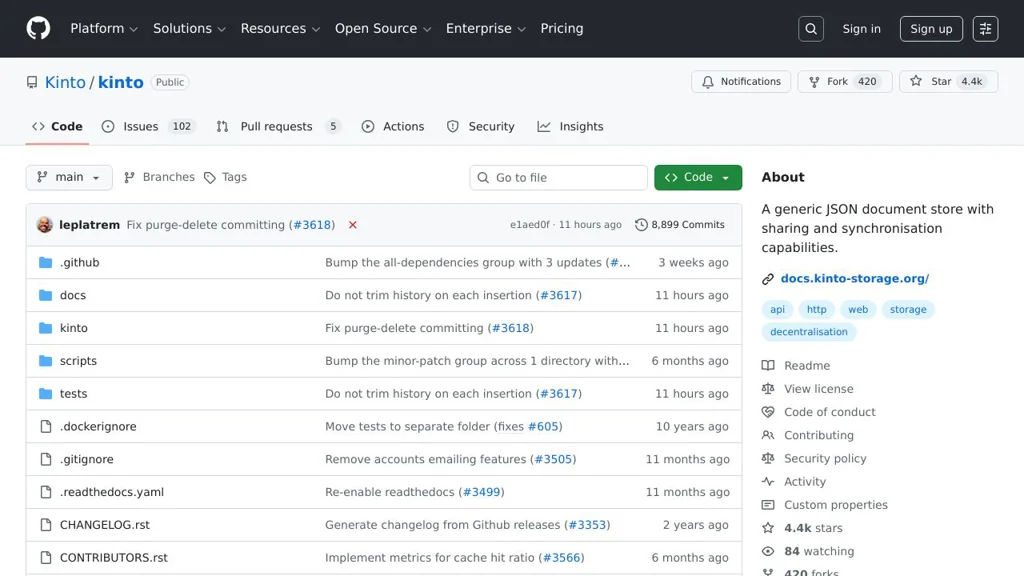
Kinto screenshot

Kinto is a self-hosted, generic JSON storage service that exposes a REST API for storing and querying records, designed to support synchronization and offline-first workflows. It provides server-side features like versioning, access control, and validation so apps can reliably store structured data and sync changes across clients.

Key Features

  • RESTful JSON storage with collections/records, filtering, sorting, pagination, and field selection
  • Concurrency control via ETag and conflict detection for safe multi-client updates
  • Change tracking and incremental sync primitives (timestamps/last-modified)
  • Built-in authentication and authorization (pluggable), including per-bucket/collection/record permissions
  • Schema validation and payload size controls to enforce data contracts
  • Pluggable storage backends and caches (commonly PostgreSQL and Redis)
  • Event and webhook support via plugins for integrating with external systems

Use Cases

  • Building offline-first apps that need a sync-capable JSON backend
  • Central configuration/feature data distribution to many clients
  • Lightweight backend for structured app data without designing custom endpoints

Limitations and Considerations

  • Not a full BaaS: focused on JSON records/sync patterns (not file storage or realtime pub/sub)
  • Functionality often depends on selecting and configuring the right plugins (auth, webhooks, etc.)

Kinto is a good fit when you need a robust, sync-friendly JSON store with strong API semantics, versioning, and fine-grained permissions. It is commonly used as a dependable building block for data distribution and client synchronization scenarios.

4.4kstars
420forks

Why choose an open source alternative?

  • Data ownership: Keep your data on your own servers
  • No vendor lock-in: Freedom to switch or modify at any time
  • Cost savings: Reduce or eliminate subscription fees
  • Transparency: Audit the code and know exactly what's running