WeTransfer

Best Self Hosted Alternatives to WeTransfer

A curated collection of the 16 best self hosted alternatives to WeTransfer.

WeTransfer is a cloud-based file transfer service that enables quick sharing of large files via download links or email notifications. It’s designed for simple, secure file delivery and offers paid plans for larger transfers and storage.

Alternatives List

#1
copyparty

copyparty

A lightweight, portable web-based file server with uploads, WebDAV, search, and optional media indexing—designed to run anywhere with minimal dependencies.
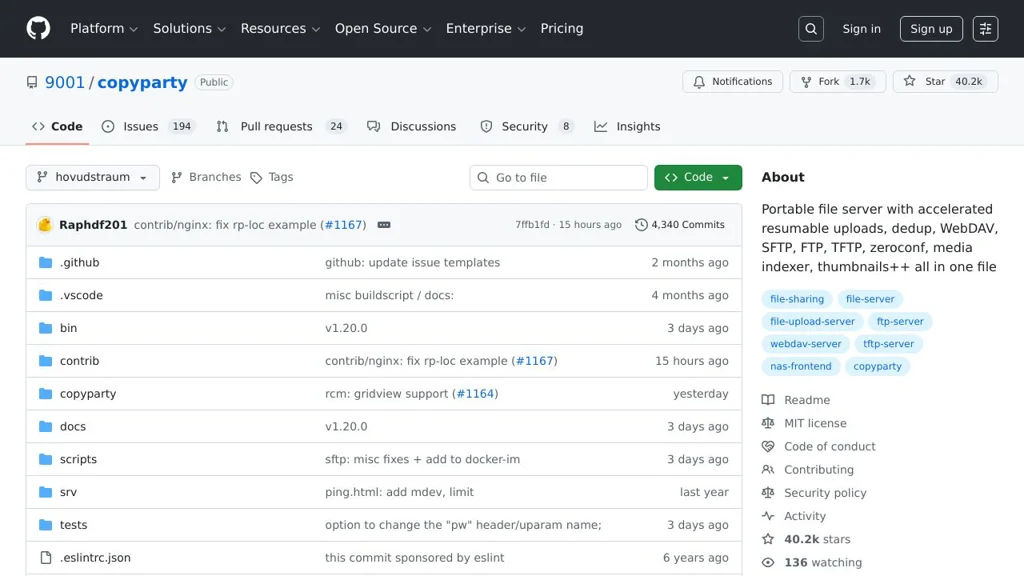
copyparty screenshot

copyparty is a lightweight, portable file server you can run from a single folder to share, browse, and upload files over HTTP. It focuses on being easy to deploy while still offering power-user features like WebDAV, indexing, and flexible access controls.

Key Features

  • Web UI for browsing, downloading, and uploading files (including drag-and-drop)
  • WebDAV support for mounting as a network drive and syncing with WebDAV clients
  • Share links and directory publishing with configurable permissions
  • User authentication and per-path access control (read/write/admin-style rules)
  • Optional indexing for faster browsing/search and media-oriented views (e.g., galleries)
  • Single-binary / single-folder style deployment with cross-platform support
  • Command-line configuration with extensive runtime options (ports, bind, users, perms)

Use Cases

  • Quickly share files on a LAN/Wi‑Fi network without setting up a full NAS stack
  • Provide a WebDAV endpoint for lightweight file access from desktops/mobile clients
  • Host a simple personal file drop/upload area for a team, event, or temporary project

Limitations and Considerations

  • Feature set is optimized for lightweight file serving; it is not a full sync platform like Dropbox/Drive.
  • Some advanced capabilities (indexing/media features) may require extra configuration depending on usage.

copyparty is a good fit when you want a small, fast file server that can be started quickly and still supports structured access control and WebDAV. It’s commonly used for ad-hoc sharing, home-lab file serving, and lightweight team file drop scenarios.

40.5kstars
1.7kforks

#2
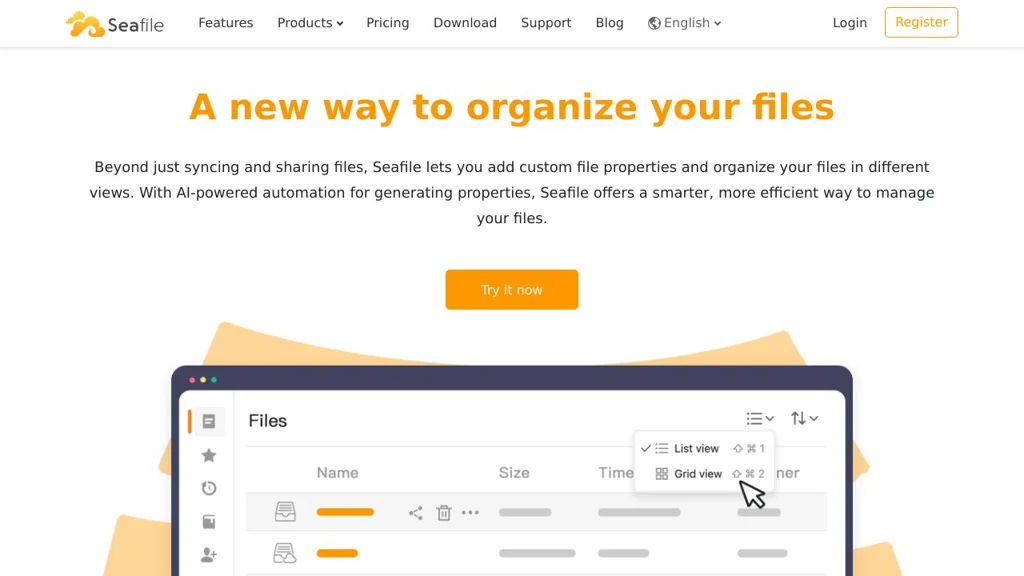
Seafile

Seafile

Self-hosted file sync and sharing platform with libraries, fine-grained permissions, web/mobile clients, versioning, and optional end-to-end encryption.

Seafile screenshot

Seafile is a file sync and sharing platform designed for teams and organizations that need fast synchronization, reliable collaboration, and strong control over access to data. It organizes content into “libraries”, supports cross-platform clients, and provides web-based file management with sharing and auditing features.

Key Features

  • Library-based syncing with selective sync and on-demand download (client dependent)
  • File sharing via links and internal sharing with permission controls
  • File versioning and restore, including history for libraries/files
  • Client-side encryption option for libraries (end-to-end encrypted libraries)
  • Web interface for browsing, uploading, previewing, and managing libraries
  • User/group management and role-based permissions for shared libraries
  • Audit and activity logs for tracking access and changes (edition dependent)
  • WebDAV access for integrating with desktop apps and workflows
  • APIs and integrations for automation and custom clients

Use Cases

  • Team file collaboration replacing consumer cloud drives with tighter control
  • Secure document distribution with expiring share links and permissions
  • Central file sync across desktops and mobile devices with version recovery

Limitations and Considerations

  • Some enterprise features (e.g., advanced auditing/administration) may be edition- or license-dependent.
  • End-to-end encrypted libraries can limit server-side features such as full-text indexing/preview depending on client capabilities.

Seafile is a strong fit for organizations prioritizing efficient sync, structured sharing via libraries, and optional end-to-end encryption. With multiple access methods (web, desktop/mobile clients, WebDAV, API), it can serve both end users and integration-heavy environments.

14.2kstars
1.6kforks
#3
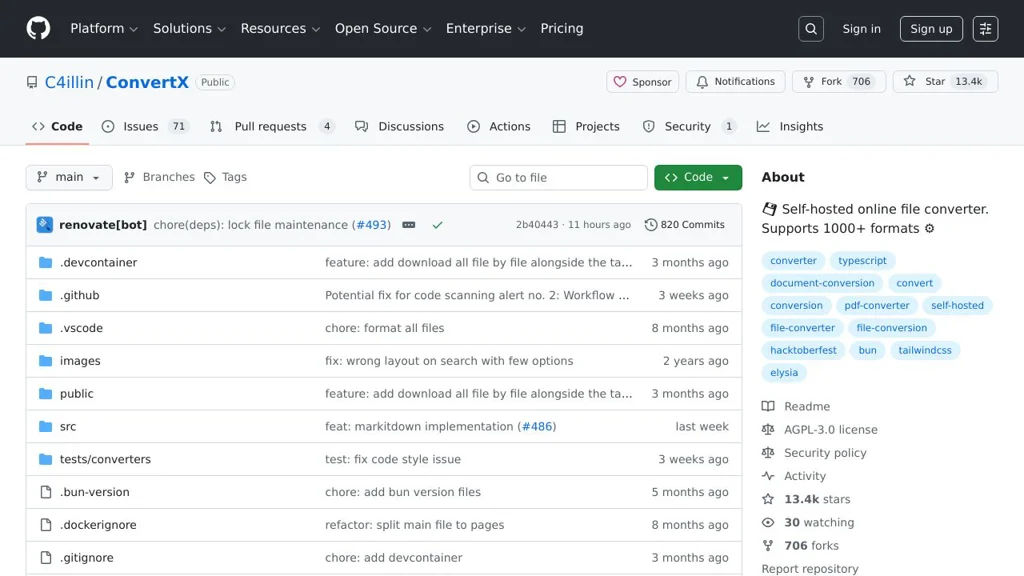
ConvertX

ConvertX

ConvertX is a self-hosted file conversion service that provides a web interface and API to convert documents, images, audio, and video using a containerized toolchain.

ConvertX screenshot

ConvertX is a self-hosted file conversion service that exposes common conversion tasks through a simple web UI and an HTTP API. It is designed to run in containers and leverages well-known command-line converters to handle multiple media and document formats.

Key Features

  • Web interface for uploading files and running conversions
  • HTTP API for programmatic conversions (useful for automation and integrations)
  • Supports multiple conversion domains (documents, images, audio/video) by orchestrating external converters
  • Container-first deployment (Docker) for reproducible runtimes and dependencies
  • Job-based processing model suitable for background conversions

Use Cases

  • Team “conversion hub” to standardize media/document conversions across devices
  • Backend service for apps that need on-demand transcoding or document conversion
  • Batch converting files (e.g., office docs to PDF, media to common playback formats)

Limitations and Considerations

  • Supported formats and quality depend on the underlying converter tools available in the image (e.g., FFmpeg); some edge formats may not be supported.
  • CPU-intensive conversions (especially video) may require resource limits and tuning for stable performance.

ConvertX fits environments that want a lightweight, containerized conversion endpoint with both a human-friendly UI and an API for integration. It is most useful when you need consistent conversions without relying on third-party SaaS tools.

13.6kstars
724forks
#4
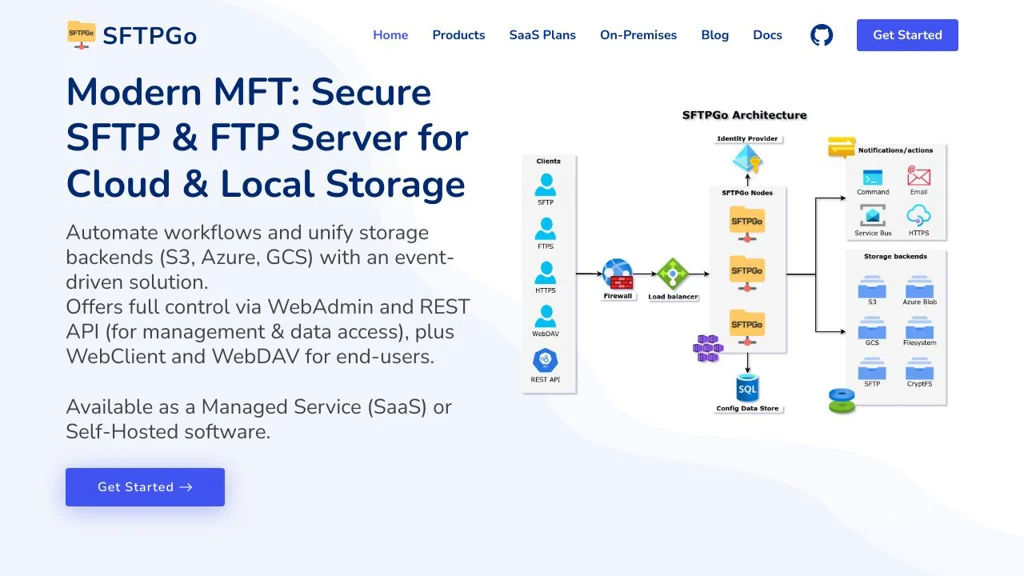
SFTPGo

SFTPGo

Self-hosted SFTP/FTP/WebDAV server with web admin, virtual users, storage backends, and auditing for secure file exchange and managed file transfer workflows.

SFTPGo screenshot

SFTPGo is a configurable file transfer server focused on secure managed file transfer for teams and applications. It provides virtual users, fine-grained permissions, and multiple supported protocols so you can expose a controlled file exchange endpoint without giving shell access.

Key Features

  • Supports multiple protocols: SFTP, FTP/S (FTPS), WebDAV, and HTTP/S file sharing endpoints
  • Web-based administration UI plus a REST API for automation and provisioning
  • Virtual users with per-user home directories, quotas, bandwidth limits, and granular permissions
  • Pluggable storage backends (local filesystem and cloud/object storage backends supported by the project)
  • Key-based and password authentication; SSH host keys and TLS configuration for secure transport
  • Auditing/visibility features such as logs and user activity tracking for compliance needs
  • Event-driven extensibility (hooks/notifications) for integrating with external systems and workflows

Use Cases

  • Provide a managed SFTP/FTPS dropbox for partners/vendors with per-user permissions and quotas
  • Replace ad-hoc file exchange (shared SMB folders or personal cloud drives) with audited transfers
  • Offer automated file ingress/egress for applications via REST API provisioning and scripted clients

Limitations and Considerations

  • Not a general-purpose sync client/server; it is oriented to file transfer and controlled sharing rather than real-time collaboration

SFTPGo is well-suited for organizations that need standards-based file transfer (SFTP/FTPS/WebDAV) with centralized user management and automation. It combines a straightforward deployment with administrative controls commonly needed for managed file transfer scenarios.

11.6kstars
891forks
#5
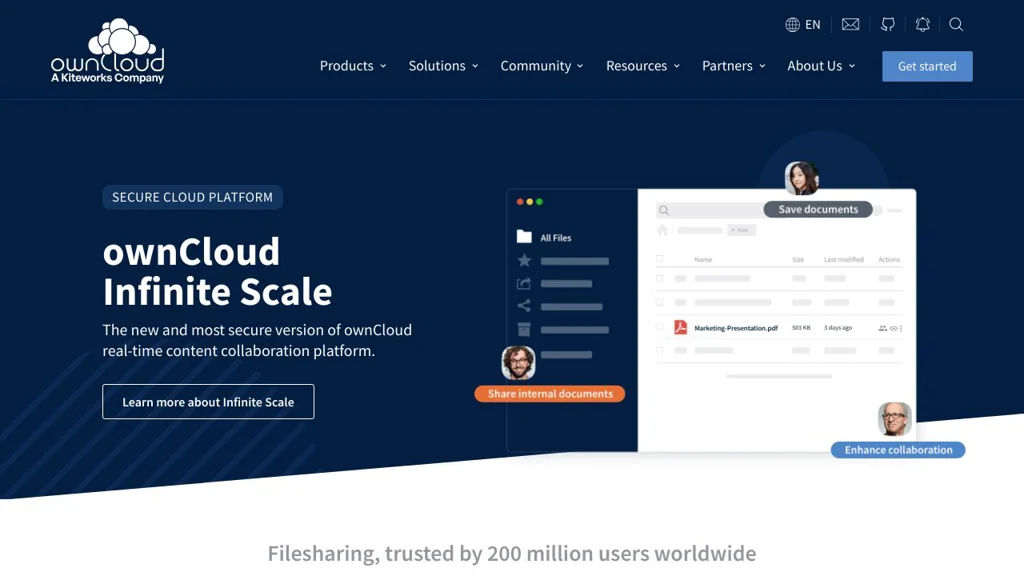
ownCloud

ownCloud

Self-hosted file sync and sharing platform with web/mobile/desktop clients, WebDAV access, sharing controls, versioning, and enterprise-grade security and auditing.

ownCloud screenshot

ownCloud is a file sync and sharing (EFSS) server for hosting private cloud storage on your own infrastructure. It provides web, desktop, and mobile access to files, plus secure sharing and collaboration features aimed at organizations that need control, compliance, and extensibility.

Key Features

  • Web interface plus desktop and mobile sync clients for accessing and syncing files
  • WebDAV support for standards-based file access and mounting as a network drive
  • File sharing with link sharing, password protection and expiration (configurable policies)
  • Versioning and recycle bin/trash to recover previous versions and deleted files
  • User and group management with role-based administration and storage quotas
  • External storage backends (e.g., S3-compatible/object storage, SMB/CIFS, FTP) via storage apps
  • Activity stream, notifications, and auditing capabilities (feature set depends on edition/apps)
  • App/plugin ecosystem to extend functionality (e.g., collaboration, storage, auth, integrations)

Use Cases

  • Internal “private Dropbox/OneDrive” for organizations needing data residency and policy control
  • Secure partner/customer file delivery with expiring, password-protected share links
  • Central file access layer over mixed backends (local storage, SMB shares, object storage)

Limitations and Considerations

  • Some advanced enterprise capabilities (governance, compliance features, certain integrations) may require paid enterprise components/support depending on deployment and edition
  • Scaling and performance depend heavily on backend storage, caching, and database tuning; production setups typically require careful ops planning

ownCloud is a mature EFSS platform suited to teams that want a standards-based file platform (notably WebDAV) with flexible storage backends and administrative controls. It fits best where extensibility, policy enforcement, and infrastructure control are primary requirements.

8.7kstars
2.1kforks
#6
FileGator

FileGator

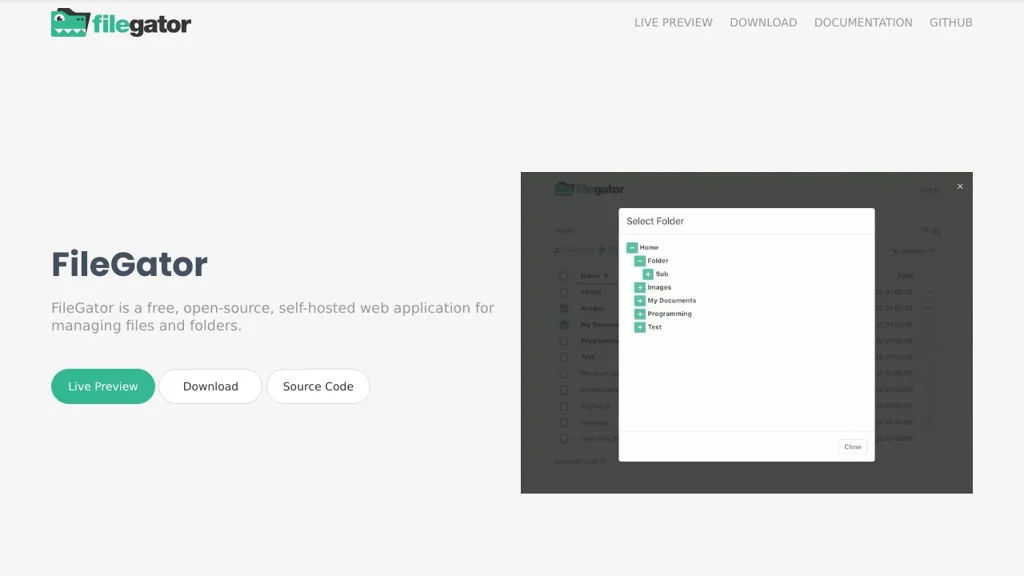
FileGator is a PHP-based web file manager for uploading, downloading, previewing, and managing files via a browser with multi-user auth and configurable storage backends.

FileGator screenshot

FileGator is a self-contained web application that provides a browser-based file manager for uploading, downloading, organizing, and previewing files on a server. It is designed as a lightweight alternative to full sync-and-share platforms, focusing on easy deployment and a familiar file-explorer UI.

Key Features

  • Web-based file manager: browse, create folders, rename, move/copy, delete, and search
  • Upload/download with drag-and-drop UI and bulk operations
  • File preview for common formats (e.g., images, text) directly in the browser
  • User authentication with role/permission configuration (deployments can restrict access)
  • Pluggable storage layer (local filesystem and additional adapters depending on configuration)
  • Internationalization support and configurable UI options
  • API/extension points for integrating FileGator into other workflows (via its internal architecture)

Use Cases

  • Provide a simple “upload portal” for teams/clients to exchange files via a browser
  • Manage files on a server/NAS from any device without SSH/SFTP
  • Offer a lightweight web file browser for internal tools, kiosks, or lab environments

Limitations and Considerations

  • Not a full sync-and-share platform (no desktop sync client; collaboration features are limited compared to suites like Dropbox)

FileGator fits best when you need a straightforward, browser-based file manager with uploads, previews, and access control, without the operational overhead of a full document collaboration stack. It’s commonly used as a simple web UI on top of server storage for internal sharing and administration.

2.9kstars
434forks
#7
PicoShare

PicoShare

Lightweight web app for sharing files via links, with an admin UI, basic access controls, and Docker-based deployment.

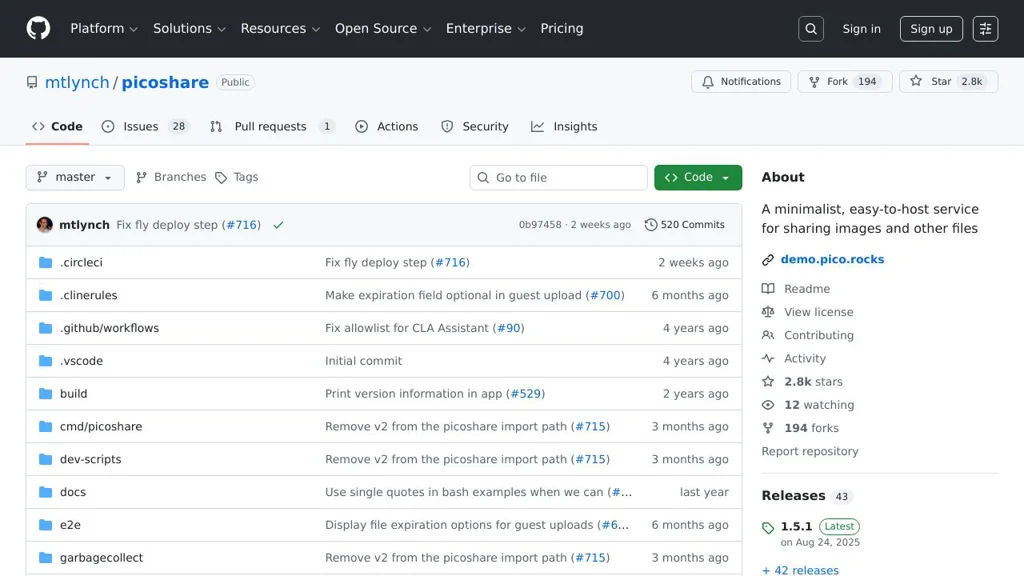
PicoShare screenshot

PicoShare is a lightweight web application for uploading files and sharing them via simple links. It focuses on minimal configuration and a small feature set aimed at quick, self-managed file drops.

Key Features

  • Web UI for uploading and downloading shared files
  • Shareable links for files (easy copy/paste distribution)
  • Admin interface for managing uploads and server settings
  • Optional authentication/access controls (to restrict who can upload/manage)
  • Container-friendly deployment (commonly run via Docker)
  • Simple storage model suitable for small, personal/team file sharing

Use Cases

  • Quick “send a file” alternative to services like WeTransfer for small teams
  • Private file drop for sharing documents with clients via a link
  • Lightweight upload portal on a home server/VPS for ad-hoc transfers

Limitations and Considerations

  • Minimalist by design (not a full sync-and-share platform like Nextcloud)
  • Feature set centers on basic upload/link sharing rather than collaboration workflows

PicoShare is best suited when you want a small, straightforward file-sharing service with a web interface and link-based distribution. If you need advanced permissions, collaboration, or syncing, a larger file platform may be a better fit.

2.8kstars
194forks
#8
Zipline

Zipline

Zipline is a self-hosted file uploader and share service with image handling, URL shortening, and S3-compatible storage support for fast, simple sharing.

Zipline screenshot

Zipline is a self-hosted file upload and sharing service designed for quickly uploading files (especially images) and sharing them via clean links. It provides an admin UI and API-focused workflow, with configurable storage backends and link utilities so you can run a lightweight “ShareX-like” server.

Key Features

  • Web UI for uploads and administration, plus an HTTP API for programmatic/CLI clients
  • URL shortening with redirect management alongside file hosting
  • Supports local disk and S3-compatible object storage backends
  • Direct links and share pages optimized for quick sharing (including images)
  • User/auth management and configurable application settings for controlled access

Use Cases

  • Personal or team “ShareX target” for fast screenshot/image uploads and share links
  • Host and share small files internally with simple URLs
  • Run a private URL shortener for homelab/teams alongside file uploads

Limitations and Considerations

  • Not intended to be a full sync-and-collaboration suite (e.g., drive-style document editing)

Zipline fits best when you want a minimal, fast upload endpoint with a clean UI and API. With object storage support and URL shortening in one service, it works well as a small, private sharing utility for individuals or teams.

2.8kstars
213forks
#9
Chibisafe

Chibisafe

Self-hosted file and image sharing with albums, expiring links, and an API—built for quick uploads and easy sharing.

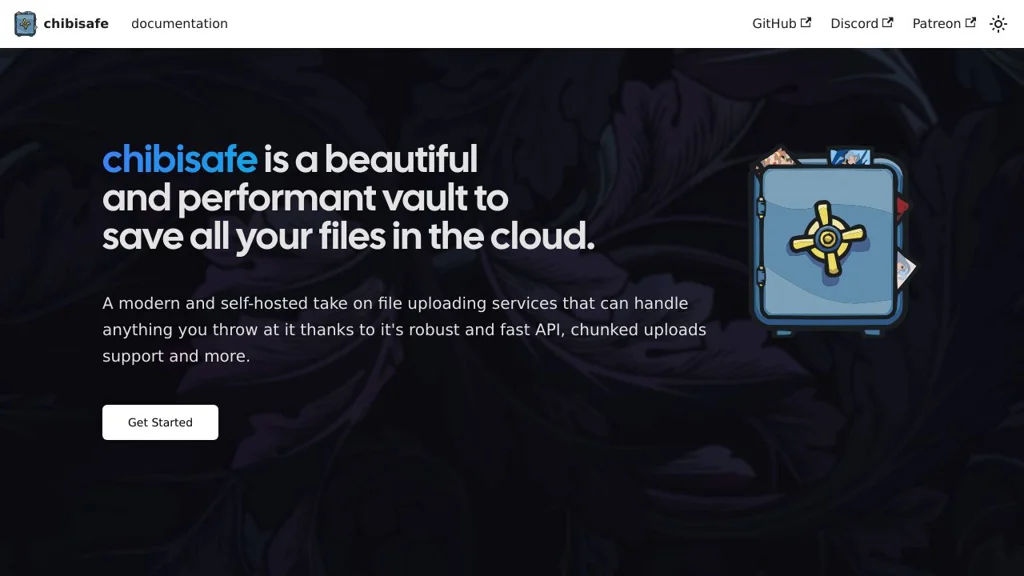
Chibisafe screenshot

Chibisafe is a self-hosted file sharing service focused on quickly uploading and sharing images and other files via a clean web UI and a developer-friendly API. It is commonly used as a lightweight alternative to hosted image/file hosts, with support for direct links and shareable pages.

Key Features

  • Web UI for uploading and managing files
  • Direct file links and share pages for easy sharing
  • Album/gallery organization for grouping uploads
  • Configurable retention options such as expiring links (where supported by configuration)
  • Public API intended for integrations and automation (e.g., upload from scripts)
  • Docker-based deployment for straightforward installation and updates

Use Cases

  • Personal or team image hosting for sharing screenshots and media
  • Private file drop for sharing files via links without relying on third-party hosts
  • Backend for automated uploads from scripts or tools using the API

Limitations and Considerations

  • Primarily focused on lightweight sharing/hosting; it is not a full document management system (advanced workflows, rich permissions, etc.)

Chibisafe fits users who want a simple, fast, link-based sharing workflow with the option to integrate uploads into tooling via an API. It is a practical choice for personal servers, small teams, and homelabs that need predictable control over uploaded content.

2.5kstars
299forks
#10
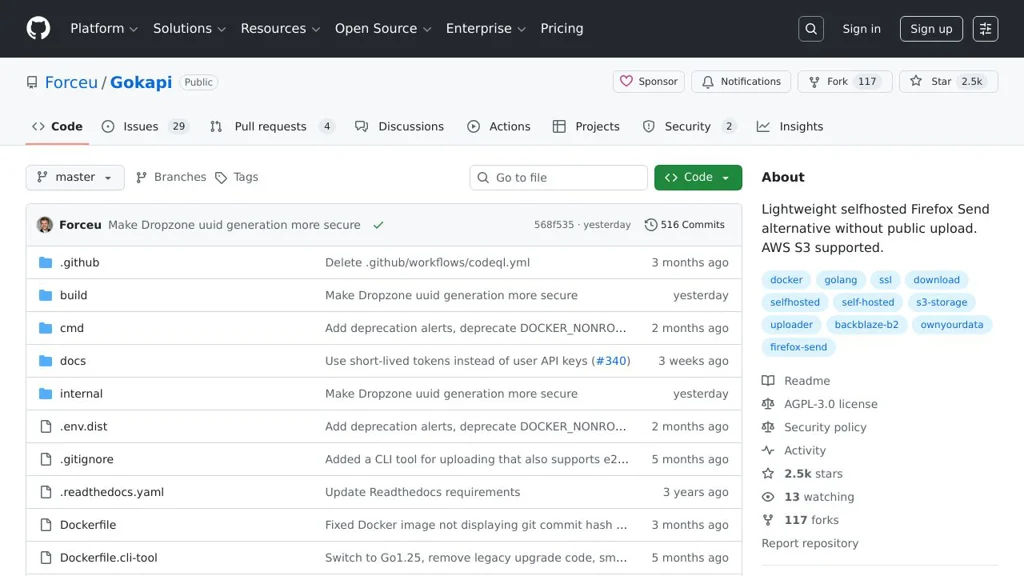
Gokapi

Gokapi

Gokapi is a lightweight file-sharing server that provides expiring links, download statistics, and an admin UI for managing uploads and retention policies.

Gokapi screenshot

Gokapi is a lightweight web application for securely sharing files via links. It focuses on simple uploads, configurable retention, and visibility into how shared files are being accessed, making it suitable for personal and small-team “send a file” workflows.

Key Features

  • Web UI for uploading files and generating shareable download links
  • Expiration and retention controls (time-based validity and automatic cleanup)
  • Download tracking and basic statistics (e.g., number of downloads)
  • Optional password protection for shared files/links
  • Admin interface for managing uploads, users/settings, and storage behavior
  • Works well behind a reverse proxy and supports custom domain setups

Use Cases

  • Replace ad-hoc transfers via public services for sending large files to clients
  • Share one-off downloads inside a team with expirations and simple tracking
  • Provide temporary download links for build artifacts or documents

Limitations and Considerations

  • Designed for straightforward file sharing rather than full sync/collaboration (not a Dropbox-style platform)
  • Feature scope is intentionally minimal; advanced enterprise governance/workflows are out of scope

Gokapi aims to be easy to deploy and operate while still providing the essentials—expiring links, optional access controls, and visibility into downloads. If you need a small, focused file-sharing service with an admin UI and retention controls, it fits well.

2.5kstars
117forks
#11
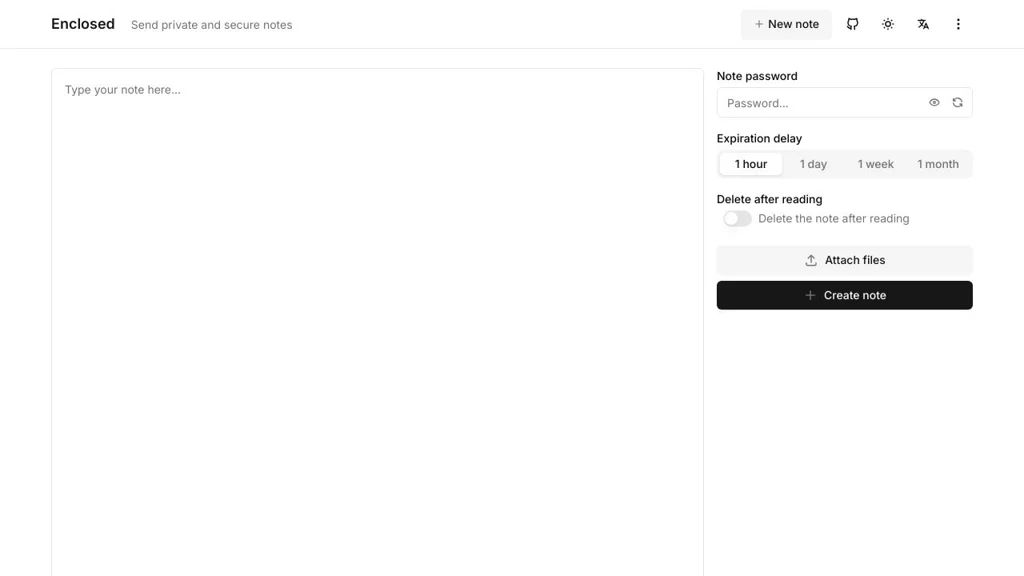
Enclosed

Enclosed

Self-hosted file sharing for sending files via a link with optional expiration, download limits, and basic access controls.

Enclosed screenshot

Enclosed is a lightweight self-hosted file sharing service focused on quickly sending files to someone using a link. It aims to be simple to operate while offering practical controls such as link expiration and limits to reduce unintended long-term exposure.

Key Features

  • Upload files and generate shareable links for recipients
  • Expiration controls (time-based) to automatically invalidate shares
  • Optional download limits to restrict how many times a link can be used
  • Basic access controls for shared files (e.g., password-protected shares)
  • Web UI intended for quick “upload → copy link → send” workflows

Use Cases

  • Share large attachments without email size limits
  • Send time-limited files (invoices, reports, exports) to external users
  • Provide one-off downloads to clients with download caps

Limitations and Considerations

  • Feature set is intentionally minimal compared to full sync-and-share platforms (no collaborative folders or realtime collaboration)

Enclosed is best suited for individuals or small teams that need a straightforward, self-managed alternative to public file-transfer websites. If your needs extend to full cloud-drive functionality, a sync-and-share platform may be a better fit.

1.9kstars
158forks
#12
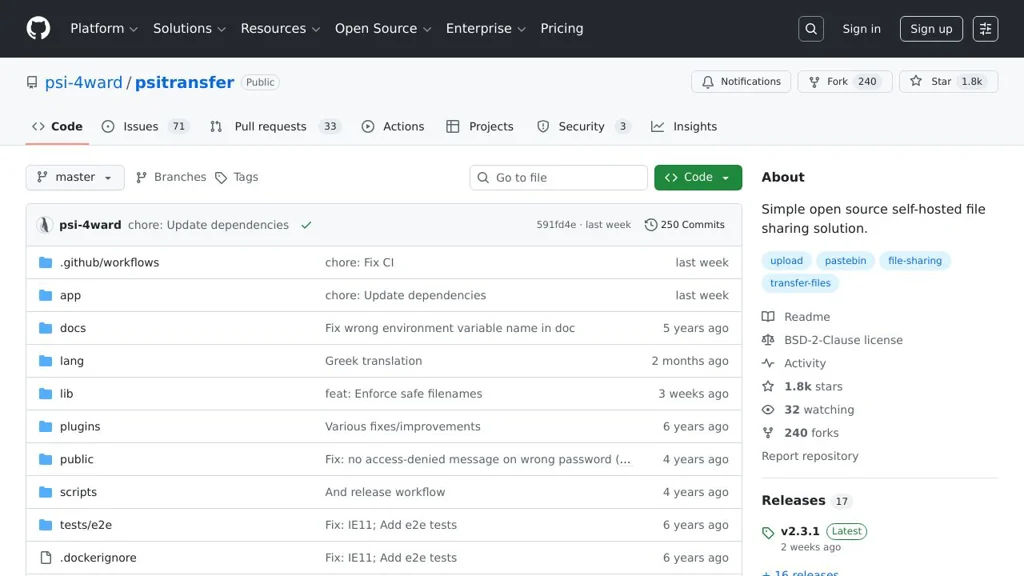
PsiTransfer

PsiTransfer

PsiTransfer is a lightweight web app for sharing files via upload links, with optional one-time downloads, expiration, and basic access controls.

PsiTransfer screenshot

PsiTransfer is a minimal web-based file sharing application designed for quickly sending files through a browser. It provides a simple upload-and-share workflow and can be run as a small standalone service (commonly via Docker) behind your own domain.

Key Features

  • Web UI for uploading and sharing files via generated download links
  • Optional one-time downloads (burn-after-reading style)
  • Expiration options (time-based) for shared files/links
  • Basic access protection options (e.g., password-protected downloads)
  • Drag-and-drop uploads and multi-file support
  • Docker-based deployment support for easy hosting

Use Cases

  • Send large files to clients/teammates without email attachments
  • Create short-lived links for sensitive documents (e.g., invoices, exports)
  • Provide a simple “drop box” endpoint for ad-hoc file collection

Limitations and Considerations

  • Focused on simple transfer/sharing; not a full sync-and-share platform (no folders, collaboration, or rich permissions)

PsiTransfer fits teams or individuals who want a straightforward web interface for temporary file distribution without the complexity of full document management or cloud drive products. It’s best used for ad-hoc transfers where simplicity and expiring/one-time links are more important than collaboration features.

1.8kstars
240forks
#13
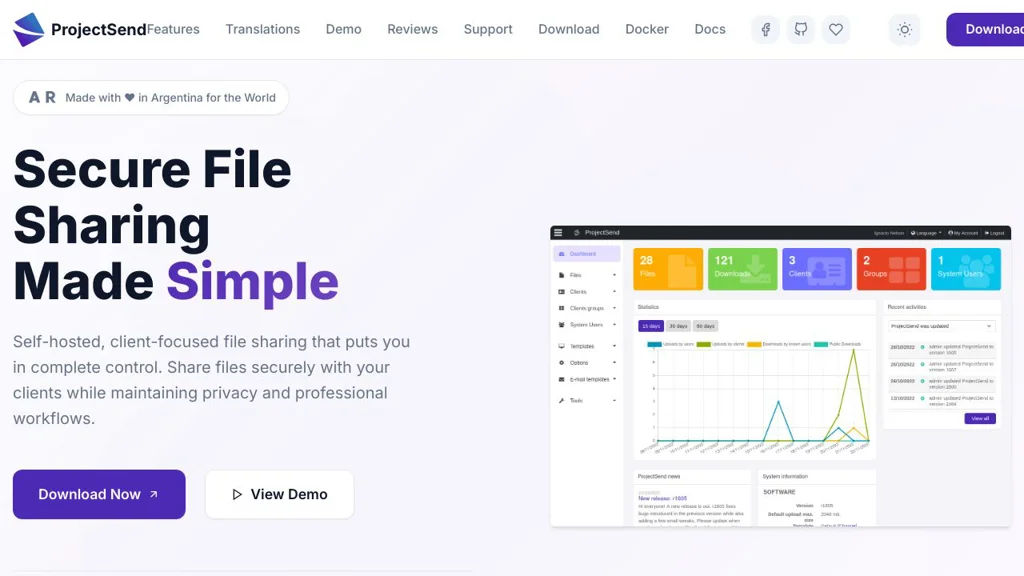
ProjectSend

ProjectSend

ProjectSend is a self-hosted web app for securely sharing files with clients using user accounts, groups, permissions, and optional public links with expiration.

ProjectSend screenshot

ProjectSend is a web-based application for distributing files to clients and stakeholders from your own server. It focuses on controlled delivery: upload files, assign them to specific users or groups, and let recipients download from a private portal.

Key Features

  • Upload files and assign access to individual users or groups
  • Client-facing portal for browsing and downloading available files
  • Optional public links for files (with configurable availability/expiration)
  • User management with roles (admin/staff/client) and permissions
  • Groups to simplify sharing the same files with multiple recipients
  • Email notifications to users when new files are assigned (SMTP)
  • Download/activity logs for basic auditing of access and actions
  • Custom branding (logo, themes) and multi-language UI

Use Cases

  • Agencies delivering final assets and documents to clients
  • Internal teams sharing files with external contractors per project group
  • Organizations publishing files to partners via expiring public links

Limitations and Considerations

  • Not a full sync-and-collaborate platform (no real-time editing or file sync clients)
  • Requires server-side PHP/MySQL administration and ongoing security updates

ProjectSend is best suited for straightforward “send files to clients” workflows where ownership and hosting stay under your control. Its user/group permissions and link sharing make it practical for repeated client deliveries without relying on third-party file transfer services.

1.8kstars
339forks
#14
Sharry

Sharry

Sharry is a self-hosted file sharing server with upload requests, expiring links, and an optional web UI for securely exchanging files.

Sharry screenshot

Sharry is a self-hosted web application for securely sharing files via links and collecting files from others via “upload requests”. It is designed for lightweight, ad-hoc file exchange (send a link, set limits, receive files) while keeping control of storage and policies.

Key Features

  • Share files via generated links with configurable expiration and limits
  • Upload requests (“drop-offs”): create a link so others can upload files to you
  • Optional password protection for shares/requests
  • Configurable retention/cleanup behavior for expired items
  • Web UI plus HTTP API for automation and integration
  • Authentication options and admin configuration (deployment-dependent)

Use Cases

  • Send large files to external partners with expiring links instead of email attachments
  • Collect documents from clients/candidates through a controlled upload link
  • Internal “temporary transfer” service for teams (ad-hoc exchange without syncing)

Limitations and Considerations

  • Not a sync-and-collaboration drive (no real-time editing or folder sync)
  • Feature set is intentionally focused on sharing/collection rather than full DAM

Sharry fits organizations that need a simple, controlled alternative to public file-transfer sites, with link-based sharing, inbound upload links, and policy-driven expiry/cleanup. It can be deployed as a small internal service or integrated via its API for automated workflows.

1.2kstars
68forks
#15
xBackBone

xBackBone

xBackBone is a self-hosted web app for uploading files and screenshots, organizing them, and sharing them via direct links with optional expiration and access controls.

xBackBone screenshot

xBackBone is a self-hosted web application for uploading and sharing files and screenshots through a clean web UI and direct links. It’s commonly used as a private alternative to public “file drop” and image hosting services, with user management and link controls.

Key Features

  • Web-based upload and file manager with searchable list views
  • Shareable direct links for files (suitable for quickly sending to others)
  • Optional link expiration / one-time or time-limited sharing (where configured)
  • User authentication with multi-user support and per-user content separation
  • Screenshot-oriented workflow (commonly paired with ShareX and similar tools)
  • Basic organization/metadata (filename, size, upload time) and admin controls
  • API endpoints intended for automation and uploader clients

Use Cases

  • Private replacement for Imgur/WeTransfer-style link sharing
  • Team or homelab “drop zone” for quickly exchanging files and screenshots
  • Integrating with screenshot tools (e.g., ShareX) for instant uploads

Limitations and Considerations

  • Not a full sync platform (no desktop sync like Drive/Dropbox)
  • Feature depth (previewing, advanced permissions, collaboration) is limited vs. enterprise DAM platforms

xBackBone fits best when you want a lightweight, private upload-and-share service with direct links and simple administration. It’s particularly useful for fast screenshot sharing and ad-hoc file transfers without relying on third-party hosts.

1.1kstars
90forks
#16
Rustypaste

Rustypaste

Rustypaste is a lightweight pastebin and file upload server with configurable storage, expiry, and optional authentication for sharing text and files over HTTP.

Rustypaste screenshot

Rustypaste is a small, fast pastebin and file upload service written in Rust. It provides a simple HTTP interface for uploading files (including text pastes) and serving them back via shareable URLs, with configuration aimed at safe and convenient personal or team use.

Key Features

  • HTTP endpoints for uploading and downloading shared files/pastes
  • Configurable storage backend on disk with directory layout controls
  • Optional expiry/retention settings for uploaded content
  • Limits and controls (e.g., maximum upload size) to reduce abuse
  • Optional authentication/token-based protection for uploads (configurable)
  • Simple configuration file and environment-based configuration support
  • Designed to be lightweight and easy to run behind a reverse proxy

Use Cases

  • Host a private pastebin for sharing logs/snippets within a team
  • Temporary file drop for sharing artifacts (screenshots, binaries) via URL
  • Lightweight “share this file quickly” endpoint for scripts and automation

Limitations and Considerations

  • Not intended as a full collaboration platform (no rich editor, comments, or versioning)
  • Feature set is intentionally minimal; advanced moderation/anti-abuse features may require a reverse proxy/WAF

Rustypaste fits users who want a minimal, performant paste/file sharing endpoint with straightforward configuration and predictable behavior. It is especially suitable when you want a simple URL-based sharing workflow without the complexity of larger file-sharing suites.

1.1kstars
69forks

Why choose an open source alternative?

  • Data ownership: Keep your data on your own servers
  • No vendor lock-in: Freedom to switch or modify at any time
  • Cost savings: Reduce or eliminate subscription fees
  • Transparency: Audit the code and know exactly what's running