
Microsoft Project

Best Self Hosted Alternatives to Microsoft Project

A curated collection of the 4 best self hosted alternatives to Microsoft Project.

Microsoft Project is a cloud-based project and portfolio management service for planning, scheduling, resource and budget management, and reporting. It helps teams track tasks, timelines, dependencies and collaborate via Microsoft 365 integration.

Alternatives List

#1
OpenProject

OpenProject

Self-hosted project management platform with work packages, Agile boards, Gantt charts, roadmaps, wikis, time tracking, and team collaboration.
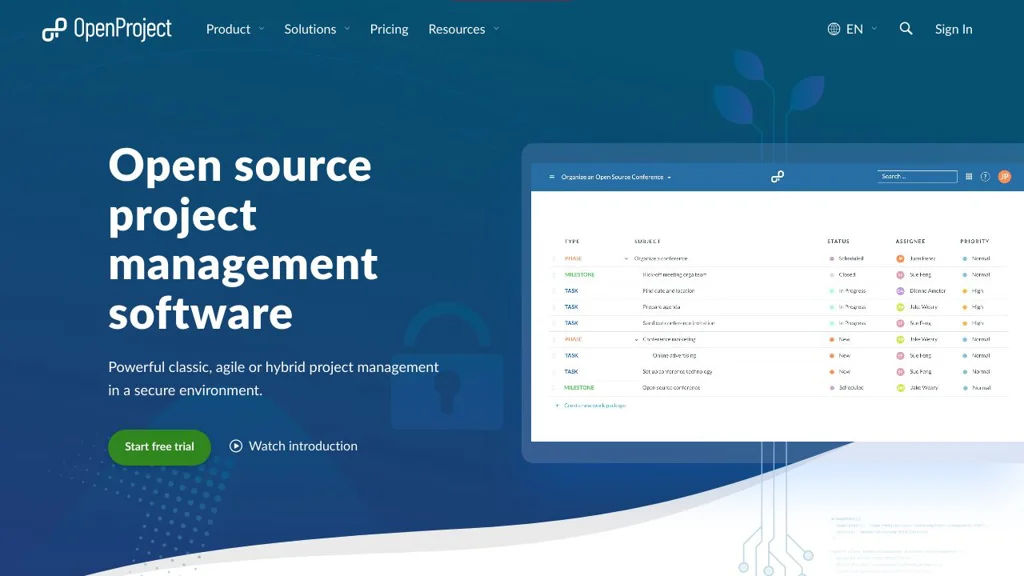
OpenProject screenshot

OpenProject is a web-based project management platform for planning, tracking, and collaborating across projects. It supports both classic project planning and agile delivery, combining task/issue tracking with timelines, documentation, and reporting in one application.

Key Features

  • Work packages for unified task/issue management with custom fields, relations, watchers, and notifications
  • Agile boards (Scrum/Kanban) with backlogs, sprints, and swimlanes (depending on configuration)
  • Gantt charts and interactive project timelines, including dependencies and milestone planning
  • Roadmaps and release planning views for progress and deliverables
  • Time tracking and cost reporting features (project/accounting-oriented reporting varies by edition/config)
  • Wiki and project documentation features integrated with project navigation
  • Role-based permissions and project-level access control for multi-project organizations
  • Integrations via REST API and webhooks for automation and external tooling

Use Cases

  • Software teams running Scrum/Kanban with backlogs, sprints, and issue tracking
  • PMOs managing multi-project plans with Gantt charts, dependencies, and milestones
  • Cross-functional teams centralizing project docs (wiki) and progress reporting

Limitations and Considerations

  • Some advanced features are edition-dependent (community vs. enterprise), so feature availability may vary
  • Migrating from Jira/MS Project can require careful mapping of workflows, fields, and permissions

OpenProject fits organizations that want a single, auditable system for project planning and execution across agile and traditional approaches. It is commonly used as an alternative to hosted PM suites when teams need strong timeline planning, structured permissions, and on-prem control.

13.5kstars
3kforks

#2
Planka

Planka

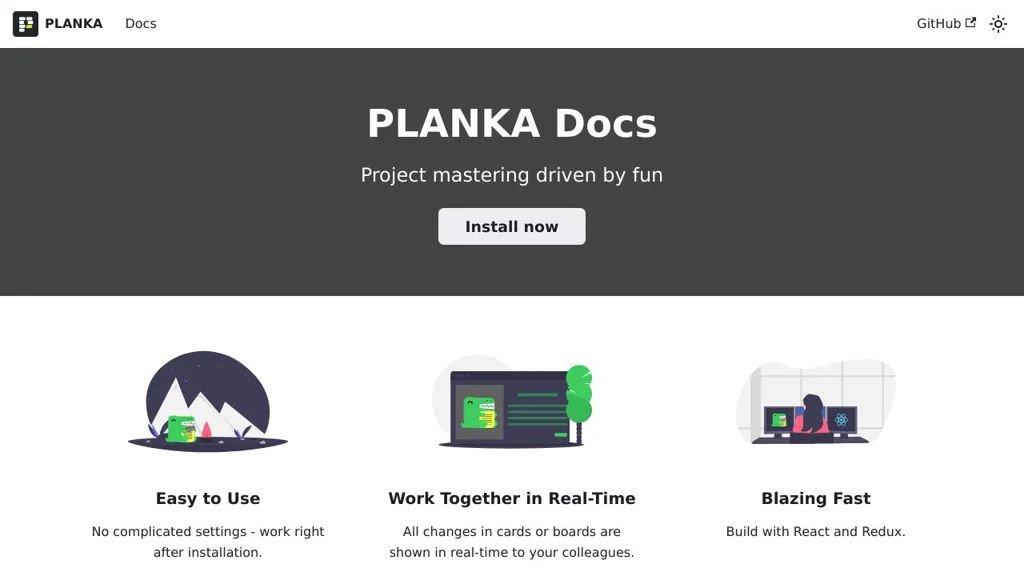
Planka is a self-hosted kanban project management tool with boards, lists, cards, swimlanes, WIP limits, labels, checklists, due dates, and team collaboration.

Planka screenshot

Planka is a web-based kanban project management app for organizing work into boards, lists, and cards. It is designed as a Trello-like experience for teams that want a lightweight workflow tool with collaboration features and an API.

Key Features

  • Multiple projects and boards with lists and draggable cards
  • Card details including description, labels, due dates, checklists, attachments, and comments
  • Swimlanes and WIP limits to model workflows and constrain in-progress work
  • Board and card filters (e.g., by members/labels), quick search, and keyboard shortcuts
  • User management with roles/permissions and per-project membership
  • Activity history/audit trail for changes on boards/cards
  • REST API for automation and integrations

Use Cases

  • Team kanban boards for product development, support, or operations
  • Personal or small-team task boards as a Trello replacement
  • Lightweight project tracking with labels, checklists, and due dates

Limitations and Considerations

  • Feature set is intentionally focused on kanban; advanced portfolio planning and reporting are limited compared to enterprise PM suites.

Planka provides a familiar kanban workflow with strong core collaboration features and a pragmatic deployment model. It fits best where teams want a simple, fast board-centric system with an API rather than a full-scale project suite.

11.3kstars
1.2kforks
#3
Kanboard

Kanboard

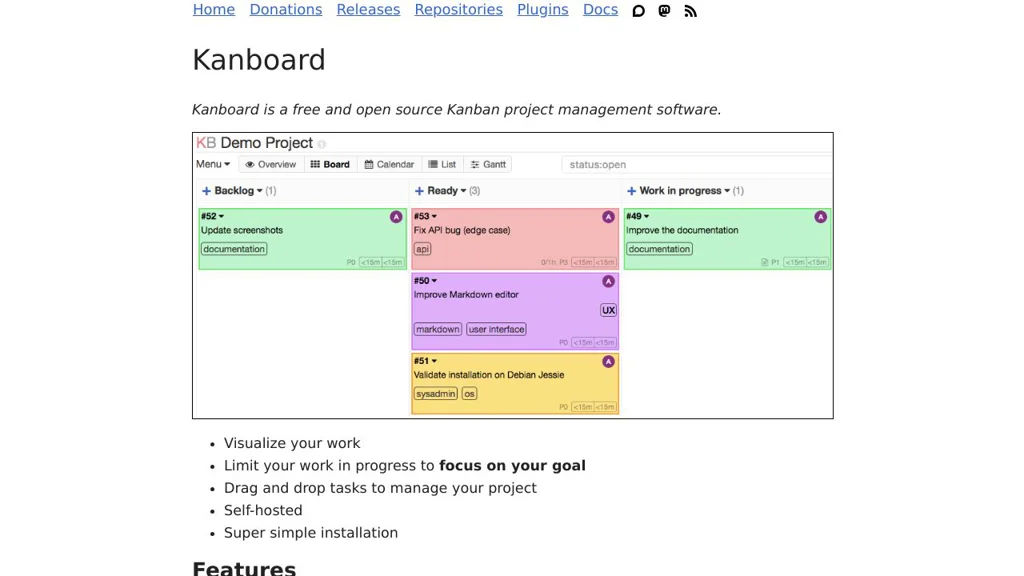
Self-hosted Kanban project management tool with boards, swimlanes, WIP limits, analytics, and integrations via plugins and webhooks.

Kanboard screenshot

Kanboard is a lightweight project management application built around the Kanban method. It helps teams visualize work, limit work-in-progress, and collaborate on tasks using configurable boards, swimlanes, and automation.

Key Features

  • Kanban boards with configurable columns, swimlanes, and WIP limits
  • Tasks with due dates, attachments, comments, subtasks, checklists, and recurring tasks
  • User roles and project permissions; multi-project support
  • Built-in analytics and reporting (e.g., cumulative flow/lead & cycle time views)
  • Email integration (notifications and “email to task” workflows) and activity stream
  • Automation rules and triggers; webhooks for event-driven integrations
  • Plugin architecture for extending features and connecting external services
  • Public and private project sharing options and task duplication/templates

Use Cases

  • Manage software development or ops work with WIP limits and swimlanes
  • Run editorial/content pipelines (ideas → drafting → review → published)
  • Track personal or small-team projects needing a simple, fast Kanban tool

Limitations and Considerations

  • UI and feature set are intentionally minimal compared to large enterprise suites; advanced portfolio planning may require plugins or external tools

Kanboard focuses on speed, simplicity, and a clear Kanban workflow while still providing the essentials for collaboration and integrations. Its extensibility via plugins and webhooks makes it suitable for teams that want a compact core with optional add-ons.

9.4kstars
1.9kforks
#4
Leantime

Leantime

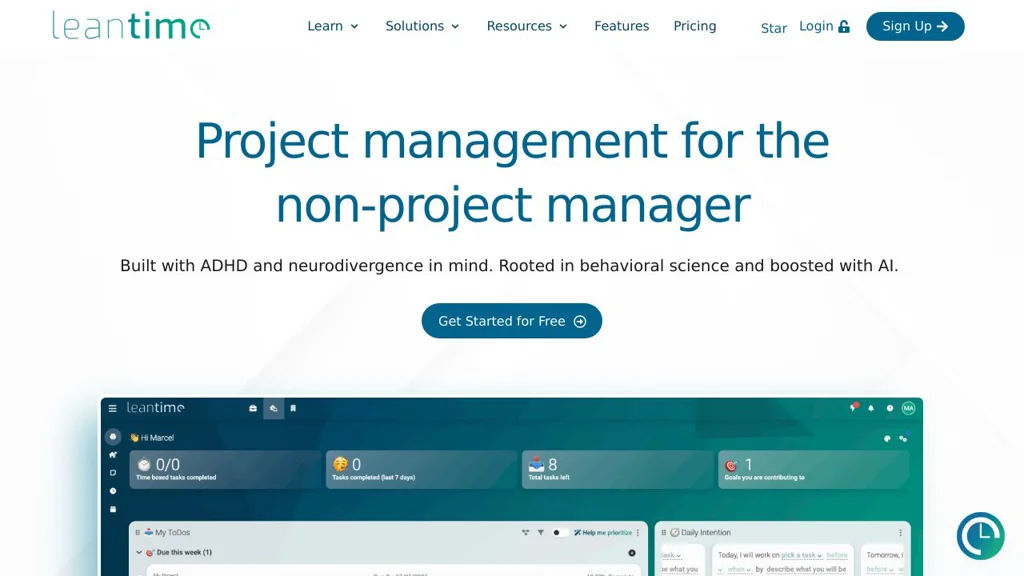
Self-hosted project management system with roadmaps, kanban, tasks, time tracking, and client collaboration designed around Lean/Agile workflows.

Leantime screenshot

Leantime is a self-hostable project management platform designed around Lean and Agile practices. It helps teams plan strategy, define goals, manage projects, and track execution using a mix of roadmaps, boards, and task workflows. Leantime targets small-to-mid sized teams and agencies that need a lightweight PM tool with client-friendly collaboration features.

Key Features

  • Strategy and planning modules (ideas, goals, milestones/roadmaps) to connect execution to outcomes
  • Kanban-style task boards with statuses and swimlanes for day-to-day work management
  • Backlog and sprint-style workflows for iterative delivery
  • Time tracking and timesheets per task/project for billing and reporting
  • Project documentation features (wikis/notes) to keep context with work items
  • Role-based access and multi-user collaboration across multiple projects
  • Client collaboration options (invite external users to selected projects)
  • Integrations via webhooks/API support (where configured) and email notifications

Use Cases

  • Manage product development with a roadmap → backlog → sprint/board workflow
  • Run an agency with per-client projects, task-level time tracking, and shared status visibility
  • Coordinate internal IT/ops projects with milestones, tasks, and lightweight documentation

Limitations and Considerations

  • Feature depth is typically lighter than enterprise suites (advanced portfolio management and extensive native integrations may require customization)

Leantime provides an opinionated Lean/Agile structure that connects higher-level planning to tasks and delivery. It is suitable for teams wanting an integrated roadmap/kanban/time-tracking tool without adopting heavier enterprise project platforms.

8.8kstars
869forks

Why choose an open source alternative?

  • Data ownership: Keep your data on your own servers
  • No vendor lock-in: Freedom to switch or modify at any time
  • Cost savings: Reduce or eliminate subscription fees
  • Transparency: Audit the code and know exactly what's running